
Why Was Your Karnataka Ration Card Application Rejected? Common Errors & Fixes (2026 Portal Guide)
Submitting an application for a new ration card through the Karnataka Ahara portal seems straightforward until you hit an unexpected automated rejection or a data-match error. With the state tightening data verification across the integrated public distribution system, even a tiny mismatch can stall your application for months.
If you are trying to register a new household, add a family member, or fix a pending application, this guide breaks down the major reasons applications fail and exactly how to resolve them.
The “Duplicate Profile” Error: The #1 Reason for Rejection
The automated system instantly cross-references all submitted household data against the entire state distribution database. The most frequent error flag is a Duplicate Member Detected alert.
The Scenario
This typically happens to newly married couples or individuals who have recently split from a joint family structure. If an applicant’s details are still actively tied to their parents’ original ration card, any new application containing that individual will be automatically blocked.
The Fix
You cannot jump straight into a new application. The individual must first be legally removed from their previous card.
-
The head of the parental household must log into the Ahara portal and select Deletion of Member.
-
Once the name is successfully removed, secure the digital Deletion Slip.
-
Wait 48 to 72 hours for the central database to clear the profile cache before initiating your brand-new household application.
Income & Caste Certificate Desynchronization
When applying for high-benefit cards like the Priority Household (PHH/BPL) or Antyodaya Anna Yojana (AAY), the portal requires an explicit income status verification.
[User Enters Annual Income Manually]
               │
               ▼  (Automated Portal Cross-Check)
[Revenue Department (RD) Database API]
               │
       ┌───────┴───────┐
       ▼               ▼
 [Data Matches]  [Data Mismatch]
       │               │
       ▼               ▼
 (Passes Audit)   (Instant Rejection / Flagged)
The Error
Applicants often manually input their income based on their current earnings, but the portal pulls official verification directly from the Revenue Department (RD) database using your Income Certificate number (RD Number). If your physical certificate has expired (they are typically valid for 5 years) or the amounts do not match exactly, the system flags it as a misrepresentation.
The Fix
-
Verify the validity date printed on your current Income Certificate.
-
If expired, apply for a fresh certificate via Nadakacheri or Atalji Janasnehi Kendra first.
-
When filling out the ration card form, copy the exact income figure stated on the certified revenue document down to the last rupee.
Demographics and Name Mismatches
The Karnataka Food and Civil Supplies portal uses biometric and demographic verification systems to validate identity data.
-
The Spelling Trap: If your name is spelled “Suresh Kumar” on your local utility bills or residential certificates, but is listed as “Suresh K” on your identification documents, the system’s automated matching script may flag the application.
-
The Solution: Update your core identification documents to reflect your current, legally accurate name and address before applying for the ration card. The portal relies on data pulled directly from central verification registries; if that foundational data contains errors, your ration card application will likely face delays.
Understanding Auto-Exclusion Criteria for Priority Cards
Many families apply for a BPL/PHH card unaware that their household assets automatically disqualify them under Karnataka state guidelines. During the field verification stage, local inspectors will cross-check your living conditions against these official exclusion parameters:
| Household Factor | BPL / PHH Disqualification Threshold |
| Vehicle Ownership | Ownership of any four-wheeler (excluding a single commercial vehicle driven by the owner for livelihood). |
| Property Size | Owning a built-up residential property or plot exceeding 1,200 square feet in urban municipal corporation limits. |
| Government Employment | Any household where a family member is a permanent employee of a State, Central, or Government-aided institution. |
| Income Tax | Any household where a member is an active Income Tax assessee. |
Note: If your household falls into any of these categories, you are legally required to apply for a Non-Priority Household (NPHH/APL) card. Applying for a priority card under these conditions can lead to penalties and a permanent block on your profile.
Quick-Reference Troubleshooting Dashboard
| Portal Issue / Error Code | Root Cause | Immediate Action Item |
| OTP Not Received | The phone number being entered is not actively linked to the applicant’s primary identity documentation. | Visit an authorized registration center to update and verify your current mobile number settings. |
| FPS Mapping Not Visible | Your entering an invalid or unmapped PIN code/Ward number. | Check your local electricity bill for the exact sub-division or municipal zone code used by local authorities. |
| Status: “Pending for Inspection” | The digital application passed, but requires physical verification by a local food inspector. | Keep physical copies of your documents ready at home for the inspector’s visit. |
Prompt
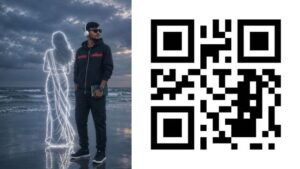
Cinematic moody beach scene during a cloudy evening, ultra-realistic photography style, 3:4 portrait ratio. A lonely young man standing on reflective wet sand near ocean waves, wearing the exact same outfit style as the reference image: black oversized jacket with red stripe detail, dark cargo pants, black sneakers, and white headphones, holding a small green book in his hand. Preserve the exact facial features, hairstyle, beard, skin tone, body proportions, and expression from the uploaded custom reference image. Deep cinematic atmosphere with cold blue-gray tones, soft ocean mist, dramatic cloudy sky, reflective wet sand, and realistic sea waves. Beside him stands a glowing white neon-style outline illustration of a girl wearing a beautiful traditional Indian saree, soft elegant pose facing the ocean, long flowing hair, minimal glowing line-art effect. Emotional lonely aesthetic, realistic shadows, soft film grain, muted colors, cinematic depth of field, highly detailed, Instagram reel style, melancholy vibe, ultra HD, realistic lighting
What to Do If Your Application Is Wrongfully Rejected
If you believe your application met all criteria but was rejected due to a system glitch or administrative oversight, follow these steps to appeal:
-
Download the Rejection Order: Log into the Ahara portal, navigate to your status tracking page, and download the specific breakdown report detailing the reason for rejection.
-
Visit a Janasnehi Kendra: Take the rejection slip, along with all your physical supporting documents, to your local Janasnehi Kendra or Assistant Director of Food Supplies office.
-
File a Manual Override Request: File a formal appeal. The administrative staff can manually check the database logs and override false automated rejections if your physical paperwork is verified as accurate.